
360° virtual
Every compartment photographed at every build stage, so you can see what runs behind a panel without opening it. From anywhere, years after the yard has closed the wall.
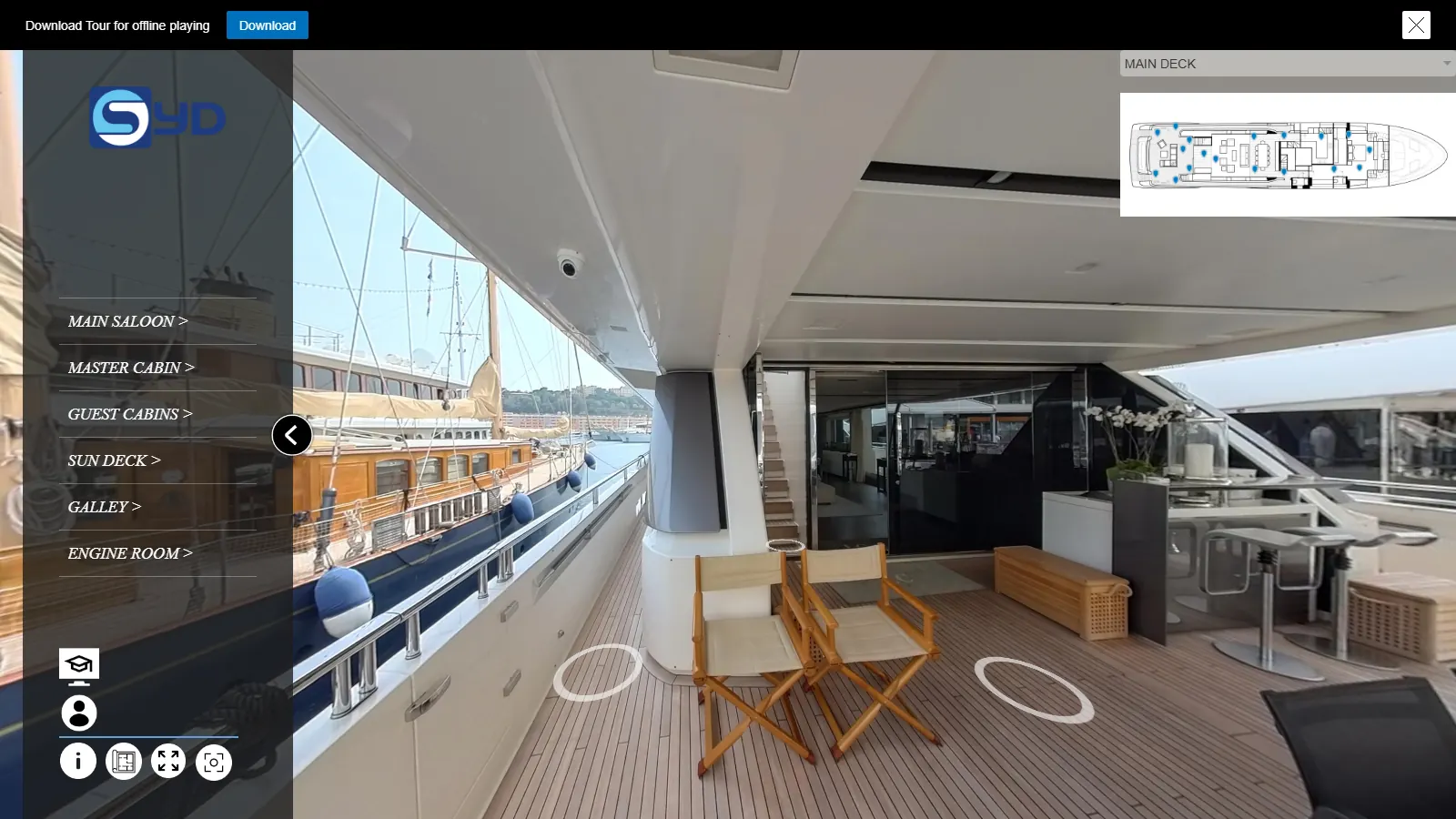
Photo record
See what the
See behind closed panels
Cabling, piping and structure stay on record after the panels close. Find them without opening a ceiling or damaging the finish.
Go back to any build stage
Viewpoints are linked across the stages of the build, so you can step back and see a space as it was before it was closed up.
Across the whole vessel
Move from compartment to compartment in the layout of the boat, from anywhere, online or offline.
How a tour is made
With your team,
Uses
One tour,
- 01
Fault finding
Cabling and piping traced on screen in seconds, so a fault is located before anyone picks up a screwdriver.
- 02
Refit planning
Plan the work knowing what sits behind each panel before the yard opens it.
- 03
Virtual site visits
Owner, management and yard walk the same vessel during the build, from wherever they are.
- 04
Build history and quality control
A complete visual history of the build, useful at the time and for every refit after it.
- 05
Crew training
New crew can learn the layout of the vessel from the tour.
- 06
Charter and sales
Show the vessel to charter and sales clients.
- 07
Shared workspace
Share the tour between everyone involved to communicate, assign tasks and add media.
Particulars
Devices and
No specialist software and no training needed to look around.
- ComputersWindows, Mac
- Phones and tabletsAndroid, iOS (dedicated app)
- VR headsetsMeta Quest, Pico, Vive, Cardboard, VR Box
- HostingBy us or by you
- CopiesDelivered in multiple copies
- ConnectionOnline or offline
Queries
Questions about
When should we start on a new build?
Around six months before handover. That is early enough to photograph the spaces while the panels are still open, which is the whole point of the record.
Who owns the tour?
You do. It is delivered in multiple copies and hosted on your infrastructure or ours. It stays confidential under NDA after the project closes.
Tell us about your
New build or mid-refit, tell us where your data stands today. No commitment, just a conversation.